

HelioBook 14 Ultra Review
HelioBook 14 Ultra review: sustained performance after thermal throttling, real battery life on a 70 Wh cell, screen accuracy, and who should buy this thin 14-inch laptop.
Price and availability change often. As an Amazon Associate we earn from qualifying purchases at no extra cost to you.
- Display
- 14 inch 2.8K OLED, 120 Hz
- Brightness
- 400 nits SDR, 600 nits HDR peak
- Memory
- 16 GB LPDDR5x, soldered
- Storage
- 512 GB PCIe 4.0 NVMe
- Battery
- 70 Wh
Best for: students and office users who carry a laptop daily and rarely dock it
The short verdict
The HelioBook 14 Ultra is a genuinely portable 14-inch machine with an excellent 2.8K display and all-day battery, let down by a 28 W sustained power limit that caps heavy multitasking. For documents, code, browsers and light photo work it is close to ideal. For sustained video rendering or gaming it throttles hard within ten minutes. Buy it for portability, not for peak power.
Reviewed by beforeknow · Updated 12 Sept 2026
Pros and cons at a glance
What we liked
- 2.8K OLED panel is colour accurate out of the box and genuinely excellent for the price
- Real 9 to 10 hours of mixed office use, not a lab number
- Full port selection including HDMI and USB-A, so no dongle bag
- Keyboard has proper 1.5 mm travel and does not flex under fast typing
Where it falls short
- Sustained power caps at 28 W, so long renders throttle noticeably
- Memory is soldered with no upgrade path
- Fan is audible under load and has a slightly whiny pitch
- OLED panel is glossy with no matte option
The trade-off this laptop is built around
Every thin 14-inch laptop makes the same bargain: cut thickness, cut cooling, cut sustained power. The HelioBook 14 Ultra is unusually honest about it. Helio publishes the 28 W sustained figure rather than burying it, and the machine is designed around that number instead of pretending otherwise.
That makes it easy to recommend or reject. If your workload is bursty, you will only ever see the 45 W boost behaviour and the laptop feels fast. If your workload is sustained, you will live at 28 W and a thicker machine at the same price will beat it.
Display
This is the standout feature. The 2.8K OLED panel covers effectively the full DCI-P3 gamut, arrives calibrated close enough that most people will never touch it, and runs at 120 Hz. Blacks are true black, which makes a real difference for video and dark-mode work.
The glossy finish is the catch. Near a window you will see yourself. There is no matte configuration.
Performance in practice
For the work most buyers actually do, performance is not the limiting factor. Thirty browser tabs, a code editor, a video call and a music app run together without stutter. Compilation and photo edits finish quickly because they fall inside the boost window.
Where it slows down
Start a twenty-minute video export and the pattern changes. Clock speeds drop after the second minute and settle. The export still completes, just noticeably slower than the same chip in a thicker chassis. If that is your daily job, this is the wrong laptop.
Battery and charging
The 70 Wh cell is large for this weight class, and the efficient panel helps. A realistic office day at 40 percent brightness runs 9 to 10 hours. Charging over USB-C from any 65 W adapter reaches roughly 50 percent in half an hour.
Build, keyboard and ports
The aluminium chassis has very little lid flex. The keyboard is the quiet highlight, with 1.5 mm of travel and a firm bottom-out that makes long typing sessions comfortable.
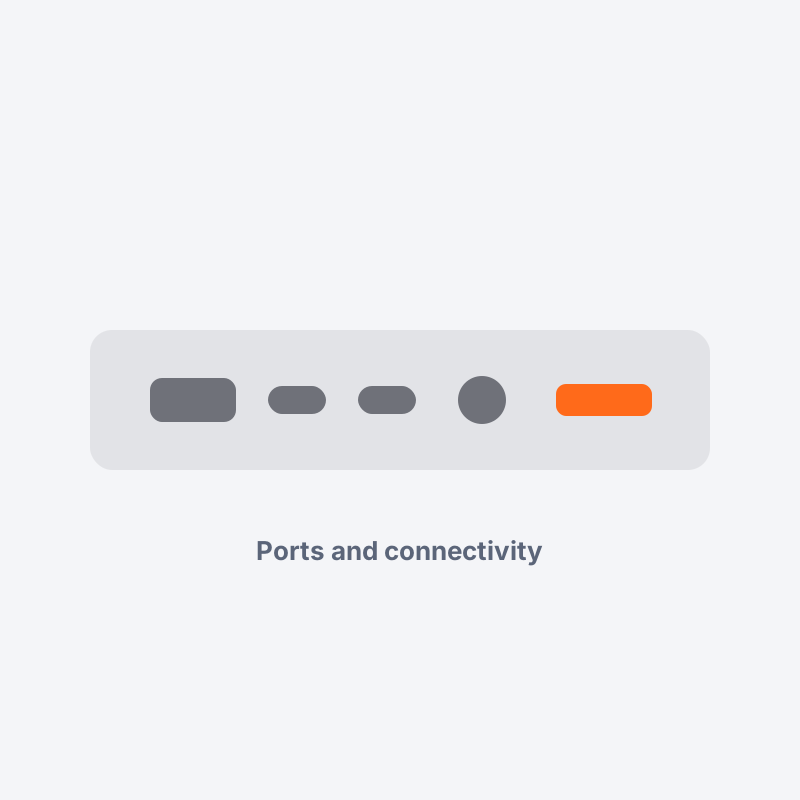
Port selection is the practical win. Two USB-C, one USB-A, full HDMI 2.1 and a headphone jack means you can plug into a meeting room projector and a legacy drive without carrying a hub.
Verdict
A strong buy for portable, bursty work with an outstanding screen. A poor buy if you render, compile or game for long stretches.
Full specifications
- Display
- 14 inch 2.8K OLED, 120 Hz
- Brightness
- 400 nits SDR, 600 nits HDR peak
- Memory
- 16 GB LPDDR5x, soldered
- Storage
- 512 GB PCIe 4.0 NVMe
- Battery
- 70 Wh
- Sustained power
- 28 W
- Ports
- 2x USB-C, 1x USB-A, HDMI 2.1, 3.5 mm
- Weight
- 1.29 kg
- Warranty
- 1 year onsite
People also ask
Does the HelioBook 14 Ultra throttle?
Can you upgrade the RAM later?
Is the OLED screen a burn-in risk?
What is the real battery life?
Is it good for gaming?
More from Laptops

BrewCraft Pro Espresso Maker Review
4.1 (918)Best for beginners moving from instant coffee to real espresso without a commercial budget
 Top pick
Nimbus G5 5G Review
4.3 (2,431)Best for buyers who keep a phone for three or more years and care about update support

Raptor K70 Mechanical Keyboard Review
4.5 (743)Best for first-time mechanical keyboard buyers who want an upgrade path